Guides
Image and video verification: a practical guide
Image and video verification means separating origin, place, time and edit into distinct claims, then testing each against records before you publish.
What to take away
- Save the highest-quality lawful file, the original URL, the caption and the upload time before you analyze anything.
- Treat origin, identity, location, time, editing and depicted event as six separate claims. One answer never settles the rest.
- Search for earlier and longer versions before you zoom into pixels. A prior upload can kill a current-event caption outright.
- Confirm place with several stable features, and confirm time with independent records, not with the caption.
- Write the limit into the copy"location confirmed; date unresolved" beats the word verified.
A real photograph can carry a false date. An authentic video can be cropped to hide what happened a minute earlier. A generated image can be labeled as illustration and used honestly. Visual verification is not one authenticity test. It is a set of questions about the file, its history, and the claim attached to it.
Photo and credit
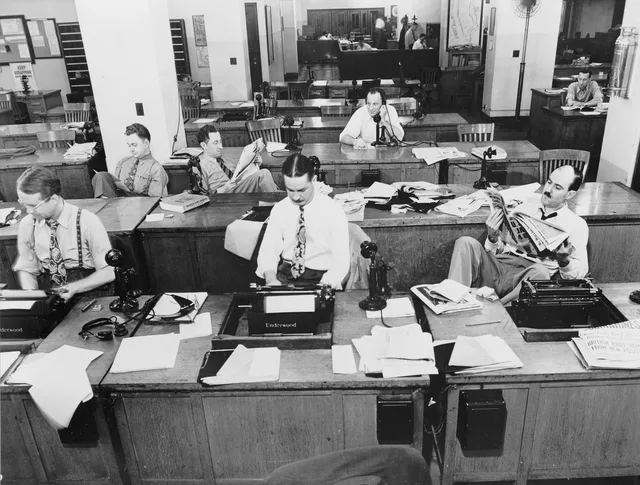
The photograph shows press photographers with plate cameras in 1909. It says nothing about how any current visual claim should be checked.
Write the claim down first
Copy the caption or post text verbatim before you touch the file. Then split it into separate questions a reader can answer one at a time.
Split the claim into questions
- Earliest available version?
- Who captured or created it?
- Camera-recorded, edited, composite or generated?
- Where was it made?
- When was it made?
- What event and which people?
- Does crop or sequence omit context?
- Is this the earliest available version?
- Who captured or created it?
- Is it a camera-recorded scene, an edited scene, a composite, or generated content?
- Where was it made?
- When was it made?
- What event and which people does it depict?
- Does the crop or the surrounding sequence omit context?
A building match can confirm a place and leave the date unresolved. An older upload can disprove a current-event caption without proving where the scene happened.
Preserve the file before you investigate
Save the original URL, the account, the caption, and the upload time. Also save the comments that give context, a screenshot, and the best lawful copy of the file. Record the access date and any redirects.
Preserve before you investigate
- Save original URL, account, caption, upload time
- Save comments, screenshot, lawful copy
- Record access date and redirects
- Restrict access if harm possible
- Run harm assessment before sharing
- Work from copies, leave received file untouched
If the material could expose a victim, a witness, a home, a medical detail or a precise location, restrict access first and run a harm assessment before you hand it to a tool or a colleague.
Work from copies and leave the received file untouched. A hash can show the preserved copy did not change. It cannot show the scene is true.
Platforms recompress, transcode and strip metadata, and a downloaded thumbnail is not the original. Note each of those before you draw conclusions from what is missing.
Find earlier and fuller versions
Run reverse image searches on the full frame and on distinctive crops. Pull keyframes from video and search those. Search quoted caption text, visible signs, usernames, logos and unusual objects.
Find earlier and fuller versions
- Reverse image search full frame and crops
- Pull video keyframes and search those
- Search caption text, signs, usernames, logos
- Compare upload dates with care
- Look for longer recording or adjacent frames
- Ask uploader how file was obtained
Compare upload dates with care. Reposting and time zones scramble the order, and a platform's displayed date is not always the capture date.
Look for a longer recording or the frames either side of the clip. They often reveal a cut, an earlier event, missing audio, or the person who filmed it.
Ask the uploader how the file was obtained, whether an original exists, what happened before and after, and who else was present.
Test place and time
List the visual clues before you pick a location:
Place and time checks
Place
- Road markings
- Yes
- Poles and utility equipment
- Yes
- Terrain and skyline
- Yes
- Storefronts and architecture
- Yes
- Language and transit
- Yes
- Weather and shadows
- Yes
- Clocks and event schedules
- No
Time
- Road markings
- No
- Poles and utility equipment
- No
- Terrain and skyline
- No
- Storefronts and architecture
- No
- Language and transit
- No
- Weather and shadows
- Yes
- Clocks and event schedules
- Yes
Match several stable features against maps, street imagery, satellite scenes, local records and independent photographs. Do not publish a sensitive coordinate just because you found it.
For time, check these factors:
- earliest circulation
- daylight
- weather
- vegetation
- construction state
- event schedules
- clothing
- clocks
- shadows
- other recordings State a range when the evidence supports only a range.
The daylight check has hard limits. NOAA's solar calculation details put sunrise and sunset within about a minute between 72 degrees north and south, and within ten minutes beyond that. Atmospheric conditions move observed values away from calculated ones, and the calculator is for research and recreational use, not certification.
The UC Berkeley Human Rights Center's guide to evaluating digital open source imagery says an assessment may need to address authenticity alongside metadata, source, location and time. It is written for judges and fact-finders, and its split of questions is the same one that stops a newsroom treating a single technical result as a verdict.
Assess editing and synthesis
Look for discontinuities in these areas:
Editing and synthesis checks
- Perspective
- Light
- Reflection
- Motion
- Compression
- Edges
- Audio
- Sequence
A detector score is not a finding about who made the file or what happened. Ordinary edits include cropping, color correction, stabilization, compression, redaction and captioning. Ask whether the edit changes meaning, removes context, or is disclosed.
Missing Content Credentials or stripped metadata is not proof of manipulation. Plenty of honest files arrive with nothing attached.
Publish the evidence and the limits
Explain how origin, place, time and context were established, and name what remains open. Label reenactments, simulations, illustrations, composites and generated media as what they are. For a fuller method that pairs each claim with the evidence that supports it, see source evaluation and claim mapping.
Credit the creator when it is safe and lawful to do so. If the work is only partial, write the partial result. "Location confirmed; date unresolved" tells a reader more than the word verified ever will.
Common questions
Does metadata prove when a photo was taken?
No. It can be missing, altered, copied, or written by software that touched the file long after the shutter. Test it against visual clues and outside records instead of trusting it alone.
Does cropping make an image deceptive?
Not by itself. Cropping is ordinary editing. The question is whether the crop changes the meaning of the scene or hides context a viewer needs.
Can a low-resolution video be verified?
Sometimes. Source history, audio, landmarks, timing and related recordings can still support a narrow conclusion, even when the pixels will not carry one.
Should a newsroom publish its exact geolocation?
Only after weighing public need against risk to people, protected sites and ongoing operations. Publishing a coordinate is an editorial decision, not a byproduct of finding it.
In this guide
- A visual geolocation workflow for place and timeThis visual geolocation workflow shows how to match a photo or clip to a place, narrow its date, and report what the evidence can and cannot support.
- Visual verification methods compared, from reverse search to metadataVisual verification methods compared across reverse search, source interviews, metadata, geolocation, chronolocation, provenance, and forensic analysis.
- Image and video verification checklist for the deskImage and video verification checklist for preservation, source identity, origin, metadata, location, time, editing, provenance, safety, credit, and publication.
- Common visual verification problems and how to fix themNine visual verification problems, from baseline screenshots to detector confidence scores, with the specific check that resolves each one before publication.
- Fictional case: correcting an old flood video labeled as currentFlood video correction case tracing an old clip through reposts, geolocation, shadow and construction clues, source contact, publication repair, and prevention.